A map of the dependencies between your services.
ShellGraph connects to your Linux servers with SSH, reads the processes and the TCP sockets, and shows which service calls which service. It installs nothing on the servers.
$ shellgraph scan --env Production --vlan app-10
Scanning Production / app-10 (10.0.10.0/24) with user "shellgraph"...
  10.0.10.11     ok       lb01, 2 services
  10.0.10.12     ok       app01, 3 services
  10.0.10.13     ok       db01, 4 services
  10.0.10.15     auth_failed ssh: unable to authenticate
Done: 3 ok, 0 partial, 1 auth_failed, 0 hostkey_changed, 0 error, 250 no_ssh.
Report sent (scan 7). Map: https://shellgraph.example.net/environments/1/map
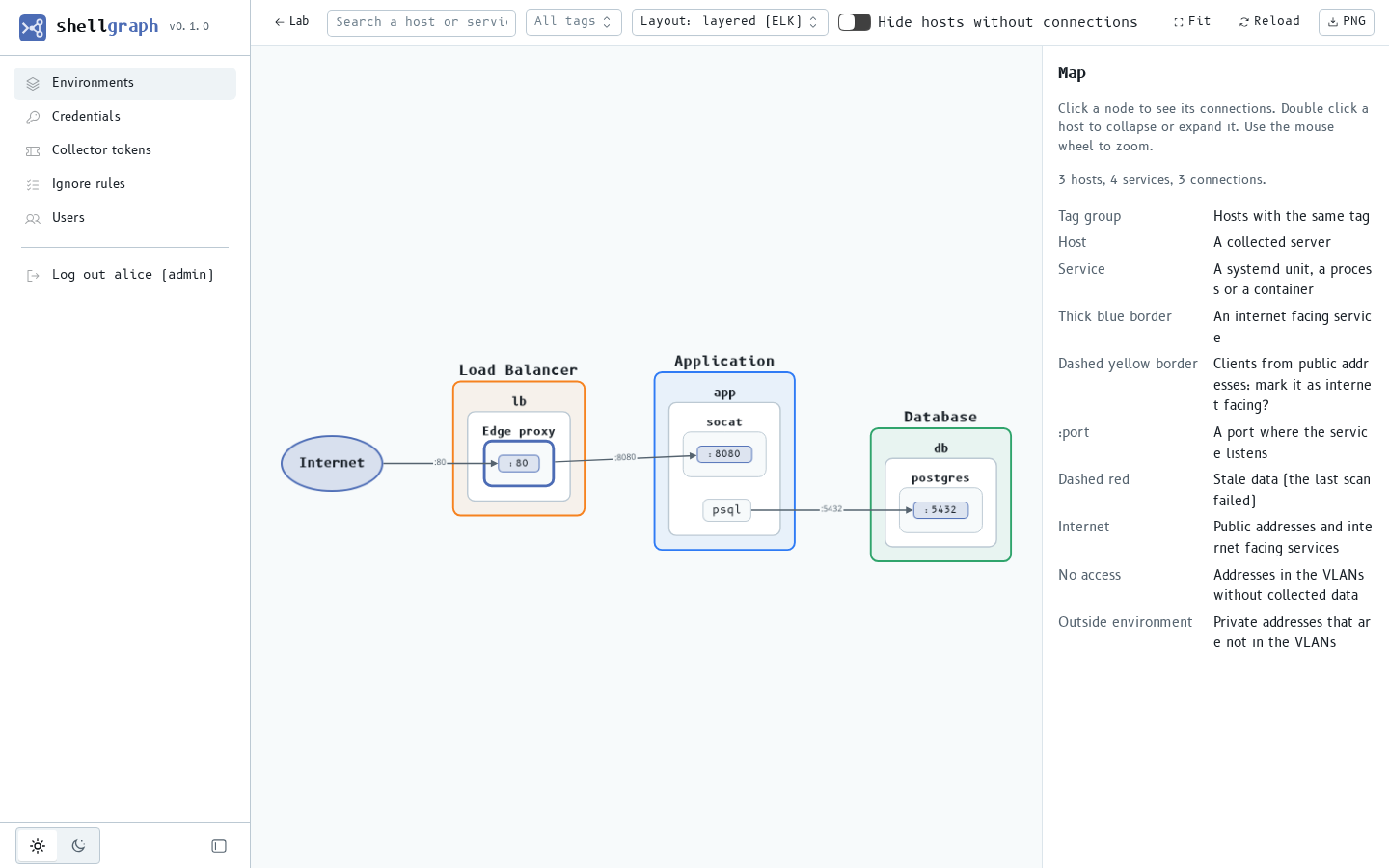
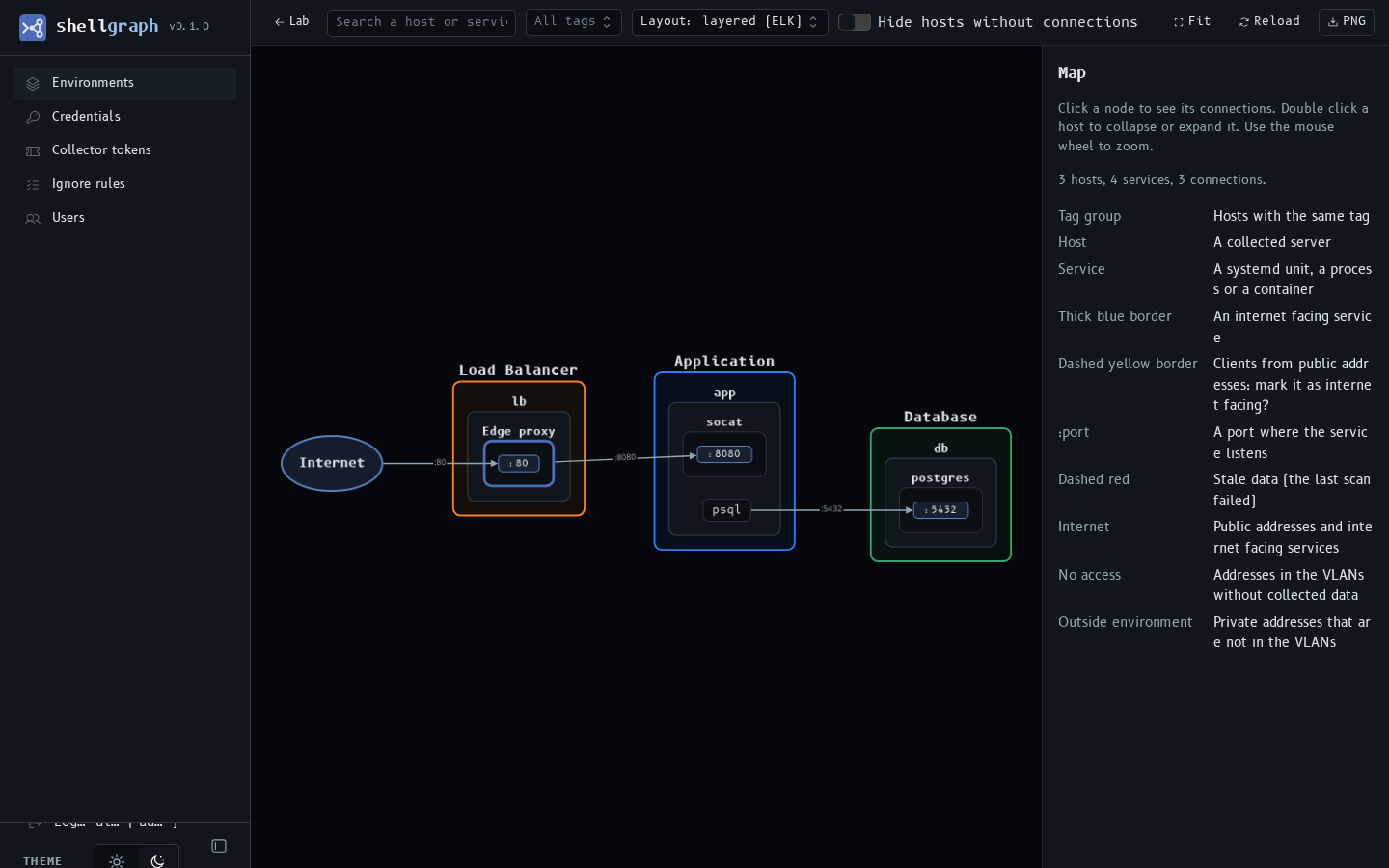
Hosts, services, ports and calls.
Hosts with the same tag stay together. Each arrow goes from the caller to the port of the destination. Internet facing services get their clients from the Internet node.
Two programs. No agent.
The collector scans a VLAN
The shellgraph command runs on a machine with SSH access. It runs one fixed script that only reads data on each server, then disconnects.
The server keeps the data
The collector sends one report to shellgraph-server. Each scan replaces the data of the hosts in the VLAN.
You read the map
One map for each Environment. The server never connects to your servers, so it can stay outside the VLANs.
 browser ──HTTPS──► shellgraph-server ◄──HTTPS── shellgraph (collector)
                                                      │
└──SSH──► servers in the VLANFor the Linux servers that you already have.
Nothing to install
An SSH user and one sudoers line for ss -tanpH. The command lines of your processes never leave the collector.
All directions
Inbound, outbound and calls on the same host. Docker and Podman containers are services too.
Maps by Environment
An Environment groups VLANs. Tag rules put hosts in groups by hostname, for example lb or ^db-\d+.
The Internet edge
Mark a load balancer as internet facing. ShellGraph suggests it when clients with public addresses connect.
Scheduled scans
Scan from cron or a systemd timer. A host that stops answering leaves the map. A host with a failure keeps its last data, marked stale.
Your login
LDAP or OIDC, for example OpenLDAP and Pocket ID. Groups give the admin or the viewer role. The SSH keys are encrypted on the server.